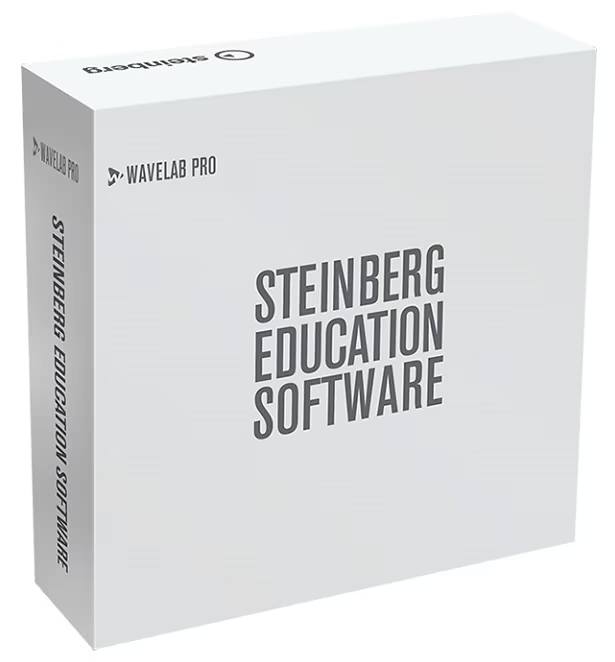
WaveLab 10 continues the evolution of this remarkably flexible product, Including many new features requested by audio professionals to make it more comprehensive than ever before. It now covers every task associated with the mastering process and adds even more innovative tools to maximize its flexibility and use for a wide range of other audio tasks.
Reference Track - A/B Comparison
WaveLab 10 introduces a new track type in the Audio Montage workspace, the Reference Track. This allows you to add a reference audio file and switch playback between the reference track and the montage tracks that you are working on, without any glitches or latency. A Reference Track can be routed to the main outputs, to the Playback Processing Section or to a user-defined reference track output, where unused audio outputs on your hardware can be utilized for playback.
Video playback support
WaveLab 10 comes with video file playback in the Audio Montage, allowing you to arrange, edit and process the audio of a video. Using the same high-quality video engine as Cubase and Nuendo, the imported video file is displayed as a clip on the video track. Videos can be imported by drag and drop into a newly created video track, via the Import in the File menu, or from the Insert tab of the Audio Montage window. If the sample rate of the included audio file doesn't match the sample rate of your montage, you can create a re-sampled copy of the audio. You can also undock the video playback window and resize it.
Extended external effects support
You can now integrate external effect devices into the WaveLab signal flow by setting up external FX buses. Using a combination of outputs (sends) and inputs (returns) on your audio hardware, you can use external effects in the Audio Montage as Clip, Track and Output effects. If you select an External Effect ASIO plug-in as an insert effect for an effect slot in the Master Section, the audio is sent to the corresponding audio output, processed in your hardware effect and returned via the specified audio input to the plug-in. When any External Effect bus is used in the signal path, WaveLab will use the new ”Render in real time” option for rendering. (Note: External effects are not currently supported in the Batch Processor).
External editor support
You can now integrate other audio editors (like SpectraLayers or iZotope RX) into your WaveLab workflow, giving you the option of modifying an audio file range (in the Audio File Editor) or an audio clip range (in the Audio Montage) in other editors, directly from within your current WaveLab session.
You can include up to three different external editors, easily setting the path to the applications that you want to use. After defining an audio range which you want to transfer to the external editor, you can use the new Editor control in the Edit ribbon to send your selection to it (this is done non-destructively in the Audio Montage), then update the file/clip in WaveLab.
Undo/Redo History for Audio Editor
We have introduced a completely new undo/redo edit history system in WaveLab 10. Available in the Audio Montage and — for the first time — the Audio Editor workspaces, both have their own independent undo/redo log. Unlike common undo/redo histories, which track edit operations, the new WaveLab history system logs versions. A version represents a whole wave file, not just an edit operation. In the Audio Editor, edit marks also allow you to see where audio parts have been edited, making it possible to recover earlier versions of the edited parts without losing the changes you have made to the rest of the audio.
Montage Inspector
The Effect Tool Window has been completely redesigned and renamed the Montage Inspector, with a Master Section-style appearance. The handling of plug-ins and corresponding functionality — like channel processing, signal routing, loading effect presets and bypass — is now streamlined and consistent between the Master Section and the new Montage Inspector.
Divided into dedicated Clip, Track and Output Inspector sections, the Montage Inspector features a color tool (for the selected clip or all clips on a track when the Track area is selected), a name field (which displays the current name of the selected clip/Track) and tabs for Effect, Gain and Slot, each with access to a comprehensive range of menu commands.
Audio Montage track list overhaul
The Audio Montage window in WaveLab 10 features a number of user interface improvements. The different track types (Audio, Reference and Video) have a new track header design with dedicated controls for each track type. In addition, you can now resize the height and width of each track; seamless vertical scrolling in the Montage window is possible (when you have multiple tracks), and you can simply drag and drop the track header to change the order of tracks.
Live input audio stream recording
WaveLab 10 allows you to record and render live input streams through the Master Section and the inserted plug-in chain, only limited by the number of available audio inputs and the overall performance of your system. This facility allows you to monitor a given audio input bus any time (directly from the Master Section and through the Master Section chain), to record with optional Master Section plug-ins (including external effects) and to record multiple files at the same time, each with different plug-ins, and different output file formats if necessary. Quickly and easily accessed via a new live input button at the top of the Master Section, which opens the bus and sample rate selection menu, activating the live input can be done at any time, even if no file is open in WaveLab.
Zawsze najlepsza cena. Nawet po zakupie
Wszystko staramy się oferować za najniższą cenę na rynku. Udało Ci się znaleźć niższą cenę? Skontaktuj się z nami za pośrednictwem formularza (znajdziesz go przy każdym produkcie pod ceną), a my postaramy się jeszcze obniżyć naszą cenę. Jeżeli uda Ci się znaleźć niższą cenę po zakupie u nas, odezwij się do 30 dni na adres Jeżeli będzie to możliwe, otrzymasz rekompensatę różnicy w cenie w formie bonusu klienckiego.
Transport za darmo i przedłużona gwarancja
Muzyka kultywuje otaczający nasz świat, dlatego za pomocą usług ponadstandardowych staramy się pomagać muzykom w ich pracy. Poza innymi korzyściami możesz również liczyć na przedłużoną 3-letnią gwarancję i darmowy transport już przy zamówieniu powyżej 490,00 zł. Na przesyłki ponadgabarytowe nie można uzyskać darmowej dostawy. Zadowolenie klienta jest dla nas zawsze na pierwszym miejscu.
30 dni na wypróbowanie
Może zdarzyć się, że pomimo rozważnego wyboru, instrument nie spełni Twoich oczekiwań. Chcemy, byś z zakupionego u nas instrumentu był zadowolony w 100%, dlatego dajemy Ci możliwość zwrotu towaru do 30 dni od zakupu. W ten sposób zyskujesz pewność, że na Kytary.pl wybierzesz instrument, który skradnie Twoje serce. Więcej informacji tutaj.
W przypadku zwrotu towaru zapłacimy za jego transport
Naszym celem jest, abyś mógł maksymalnie skupić się na swojej muzyce. Jeśli zdecydujesz się na zwrot zakupionego towaru lub jego wymianę, w ciągu pierwszych 14 dni od otrzymania przesyłki zapewnimy jego odbiór na nasz koszt. Wystarczy, że skontaktujesz się z nami pod adresem e-mail . Z tej usługi można skorzystać raz na 90 dni. W ciągu pozostałych 16 dni możesz zwrócić nam towar na koszt własny. Skup się na istotnych kwestiach, resztą zajmiemy się my. Więcej informacji tutaj.
Każdy zakup uprawnia Cię do zniżki
Każdy zakup, którego dokonasz w sklepie internetowym Kytary.pl, przyniesie Ci nie tylko ogromną radość, ale również bonus kliencki, naliczony na Twoim koncie klienta. Kwota dowolnego kolejnego zamówienia będzie mogła zostać pomniejszona za pomocą tego bonusu. Przy zakupie na Kytary.pl zyskasz zawsze coś więcej. Więcej informacji tutaj.
Znalazłeś lepszą cenę u konkurencji?
Znalazłeś identyczne produkty w niższej cenie? Dołożymy wszelkich starań, aby jeszcze bardziej obniżyć naszą cenę.
Porównywane mogą być tylko towary oferowane przez certyfikowanego sprzedawcę działającego na naszym rynku i posiadającego dane towary na stanie.
Dziękujemy za zainteresowanie zakupem w naszym sklepie.
Po zapoznaniu się z ceną konkurencji, skontaktujemy się z Tobą, by przedstawić Ci lepszą cenowo ofertę.
Showroom Praga
Showroom Praga
Zgłoszenie nieodpowiedniej treści
Otrzymaliśmy zgłoszenie nieodpowiedniej treści
Po przetworzeniu zgłoszenia skontaktujemy się z Państwem na podany adres e-mail.
Odezwiemy się do Ciebie wkrótce, by odpowiedzieć na pytanie.
Stroimy Cookies
Cookies to małe pliki, które podczas wizyty na stronie internetowej zapisują się w różnych celach na urządzeniu, z którego korzystasz, odwiedzając naszą witrynę. Jeżeli zaakceptujesz pliki cookies, Twoja wizyta na stronie internetowej Kytary.pl przebiegnie zawsze w całkowitej harmonii z Twoimi oczekiwaniami.
Te pliki cookies są dla nas czymś w rodzaju instrumentów muzycznych dla muzyków. Bez nich nie możemy grać. Aby móc korzystać z pełnego zakresu usług naszej strony internetowej, te typy plików cookies muszą pozostać włączone.
Ten rodzaj plików cookies pomaga nam monitorować to, co dzieje się na naszej stronie internetowej, za ich pomocą oceniamy również, w jaki sposób nasi klienci korzystają z witryny.
Analityczne i funkcjonalne pliki cookies mogą na przykład monitorować czas spędzany przez klientów na stronie internetowej oraz innych odwiedzanych przez nich witrynach.
Dzięki tym plikom cookies jesteśmy w stanie uderzyć w odpowiednią nutę i dostroić naszą stronę internetową tak, by zadowolić Cię jej funkcjami.
Informacje zbierane za pomocą analitycznych plików cookies nie identyfikują żadnych osób.
Marketingowych plików cookies używamy do wyświetlania reklam w Twojej przeglądarce, które mogą Cię zainteresować na podstawie Twoich nawyków przeglądania internetu. Pliki te są używane przez nas lub naszych dostawców reklam i mogą łączyć informacje zebrane z naszej i innych stron internetowych, które wcześniej odwiedziłeś. Jeśli zdecydujesz się usunąć lub dezaktywować te pliki, wyświetlane reklamy mogą brzmieć w Twoich uszach, jak orkiestra dęta w uszach heavymetalowca.
Hurra, teraz tylko potwierdź!
Wysłaliśmy Ci wiadomość e-mail z linkiem do dokończenia subskrypcji newslettera.
Monitorowanie dostępności produktu
Produkt jest obecnie niedostępny. Gdy będzie ponownie w magazynie, wyślemy Ci powiadomienie e-mailem.
/
Powiadomienie o dostępności produktu jest aktywne.
Otrzymasz od nas e-mail, gdy produkt będzie dostępny. Monitorowanie dostępności będzie aktywne do następnego dostarczenia towaru.
Monitorowanie dostępności produktu zostało anulowane.
Nie będziemy już wysyłać e-maili o dostawie tego produktu.
Monitorowania dostępności produktu nie można już anulować.
Monitorowanie zostało automatycznie anulowane po dostarczeniu produktu lub poprzez link w e-mailu.